Lên đầu trang
Xuống cuối trang


Coc Coc - tải video, tải file, tải torrent và truy cập Facebook siêu nhanh

Bạn vào Facebook bị chậm? Chỉ cần download Cốc Cốc và cài đặt trên máy tính bạn sẽ truy cập Facebook nhanh chóng. Ngoài ra, Coc Coc còn hỗ trợ tải file, tải video, ghim video trên trình duyệt và thậm chí tải cả file torrent siêu tốc.

Posted by ChoiBlogs.blogspot.com Thứ Tư, 6 tháng 4, 2016 0 comments


µTorrent là phần mềm dùng để download file (tải file qua mạng chia sẻ ngang hàng P2P), còn gọi là một BitTorrent client. µTorrent chạy trên hệ điều hành Windows.

µTorrent có kích thước nhỏ gọn nhờ sử dụng phương thức nén tập tin thực thi và khi chương trình được khởi động nó lại tự giải nén để hoạt động. µTorrent được thiết kế nhằm mục đích sử dụng tối thiểu tài nguyên hệ thống, nhưng có đầy đủ các tính năng của BitTorrent client. Do rất khó đánh ký tự Hy Lạp µ trên bàn phím thông thường, nên tên chương trình µTorrent có thể được được viết là uTorrent. µTorrent được viết bằng ngôn ngữ lập trình C++. Như vậy, sau khi tải uTorrent, bạn có thể download file torrent một cách dễ dàng.

Posted by ChoiBlogs.blogspot.com Thứ Sáu, 10 tháng 4, 2015 0 comments


4r.ketnoitatca.net - YoutubeGet là ''tất cả-trong-một'' phần mềm được thiết kế để tải Video Youtube cho công việc nhanh chóng và dễ dàng và chuyển đổi chúng. Cung cấp nhiều phương pháp để thu được video, ứng dụng này có mọi thứ bạn cần gọn nhỏ và dễ sử dụng. Sau khi tải phim sẽ tự động chuyển đổi file FLV sang MP4, 3GP, AVI, WMV, MOV vv . Bạn có thể xem các phim YouTube trên máy MP4 hay di động.

Posted by ChoiBlogs.blogspot.com Thứ Hai, 13 tháng 10, 2014 0 comments


Những thay đổi trong IDM 6.19 build 9 mới nhất

Improved downloading from file sharing sites
Fixed bugs
Added support for Firefox 31 and SeaMonkey 2.26
Fixed a problem with not clickable download panel in Google Chrome version 34 and above
Added support for Firefox 30 and SeaMonkey 2.25

Posted by ChoiBlogs.blogspot.com Thứ Hai, 2 tháng 6, 2014 0 comments


Usnip là phần mềm rất dễ sử dụng, cho phép người dùng tải bất kỳ video nào từ hàng chục website phổ biến như YouTube, Facebook, Viki, daily motion,... Video sẽ được tự động chuyển đổi sang định dạng video và audio khác chỉ với một lần kích đơn giản.

Posted by ChoiBlogs.blogspot.com Thứ Sáu, 2 tháng 5, 2014 0 comments

IDM 6.18 build 9 – Phiên bản cập nhật mới nhất 2013

Posted by ChoiBlogs.blogspot.com Thứ Hai, 2 tháng 12, 2013 0 comments


Youtube Downloader HD là một công cụ miễn phí giúp người dùng nhanh chóng tải video từ YouTube và lưu nó vào máy tính. Những video này sau đó có thể được chuyển đổi sang định dạng AVI hoặc MP4 (đây là định dạng tương thích với iPhone và iPod).

Giờ đây, bạn có thể tải video chất lượng cao, HD và Full HD từ YouTube.

Posted by Nặc Danh VIP Thứ Bảy, 12 tháng 10, 2013 1 comments

Free Download Manager là ứng dụng tăng tốc và quản lý download miễn phí rất mạnh mẽ và rất dễ sử dụng. Thêm vào đó, phần mềm này 100% an toàn, mã nguồn mở được cung cấp dưới giấy phép GPL license.

Phần mềm này sẽ giúp tăng tốc độ download và tiếp tục lại những download dang dở. FDM tăng tốc download bằng cách chia nhỏ các file thành nhiều phần và sau đó download chúng đồng thời. Do đó, tốc độ tải sẽ tăng lên tới 600% hoặc thậm chí là hơn. Phần mềm này cũng có thể tiếp tục tải những download bị lỗi để người dùng không phải download lại từ đầu sau một lỗi nào đó.

Hỗ trợ HTTP/FTP/BitTorrent: FDM cho phép người dùng download các file và toàn bộ website từ bất kì server nào qua HTTP, HTTPS và FTP. Người dùng cũng có thể download file bằng giao thức BitTorrent.

Trải nghiệm download an toàn: Bạn có thể đọc những gì thành viên trong cộng đồng khác nói về file mình muốn tải cũng như đưa ra ý kiến về file sau khi đã download. Bằng cách này, người dùng Free Download Manager luôn được cảnh báo về những file có chứa mã độc hoặc không có tác dụng.

GNU General Public License: Free download manager là phần mềm mã nguồn mở, được cung cấp qua giấy phép GNU GPL.
Thêm vào đó, Free Download Manager còn cho phép người dùng: Điều chỉnh sử dụng lưu lượng, sắp xếp và lên lịch download, download video từ các trang video, download toàn bộ website với HTML Spider, sử dụng phần mềm từ xa qua internet,...

Posted by ChoiBlogs.blogspot.com Thứ Năm, 26 tháng 9, 2013 0 comments

YTD Video Downloader là phần mềm cho phép người dùng tải xuống video từ Youtube, Facebook, Google Video, Yahoo Video… và chuyển chúng sang định dạng video.


Đây là một chương trình rất dễ sử dụng, người dùng chỉ cần xác định đường dẫn URL của video muốn tải xuống và nhấn vào nút OK.

Với YTD Video Downloader, bạn có thể chuyển đổi video cho các thiết bị và định dạng của Ipod, Iphone, PSP, Cell Phone, Windows Media, XVid và MP3.
Tính năng mới trong phiên bản 4.5:

Sửa lỗi treo ứng dụng trong quá trình chuyển đổi định dạng video.


Posted by ChoiBlogs.blogspot.com Thứ Ba, 27 tháng 8, 2013 0 comments

Posted by ChoiBlogs.blogspot.com Thứ Sáu, 7 tháng 6, 2013 0 comments


Cyotek WebCopy is a free tool for copying full or partial websites locally onto your hard disk for offline viewing.

WebCopy will scan the specified website and download it’s content onto your hardisk. Links to resources such as stylesheets, images, and other pages in the website will automatically be remapped to match the local path. Using its extensive configuration you can define which parts of a website will be copied and how.

Cyotek WebCopy can authenticate with websites, post forms, and allows the use of rules to download only the content you wish.

Posted by ChoiBlogs.blogspot.com Thứ Bảy, 6 tháng 4, 2013 0 comments


KooLoader Plus 2.9 | 1.2 Mb

Kooloader Plus is a versatile and wide-ranging download manager and FTP Explorer with powerful download acceleration capabilities, supporting multiple downloads, resuming interrupted downloads, downloading from sites such as YouTube, RapidShare and including many other features. The program’s functionality responds primarily to a downloader’s need for speed, simplicity and ease of use.

It comes ‘equipped’ with advanced features including queue management and allows you great liberty in setting the download configuration. Kooloader Plus is an open source software that works with Windows platform and is compatible with Microsoft .Net FrameWork 3.5.

To use the program one needs no special technical skills: just specify the URL for the video you want to download and hit the Ok button. Of course, depending on how experienced you are you can fully benefit of the functionality Kooloader Plus offers.

Here are the main features of Kooloader Plus:
- Offers multiple simultaneous downloads;

Posted by ChoiBlogs.blogspot.com Thứ Năm, 31 tháng 1, 2013 0 comments


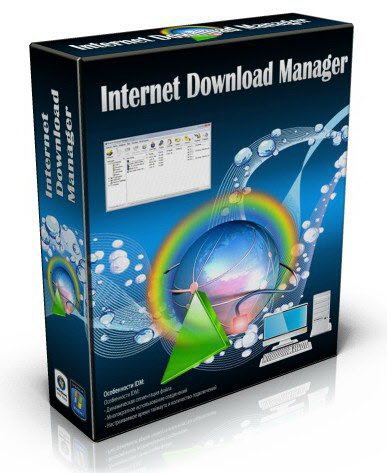
Internet Download Manager 6.14 Build 1 Final | 5.5 MB

Internet Download Manager has a smart download logic accelerator that features intelligent dynamic file segmentation and safe multipart downloading technology to accelerate your downloads. Unlike other download accelerators and managers that segment files before downloading starts, Internet Download Manager segments downloaded files dynamically during download process. Internet Download Manager reuses available connections without additional connect and login stages to achieve better acceleration performance.

Posted by ChoiBlogs.blogspot.com Thứ Ba, 18 tháng 12, 2012 0 comments

Internet Download Manager 6.12 Build 19 | 4.8 MB

Internet Download Manager has a smart download logic accelerator that features intelligent dynamic file segmentation and safe multipart downloading technology to accelerate your downloads. Unlike other download accelerators and managers that segment files before downloading starts, Internet Download Manager segments downloaded files dynamically during download process. Internet Download Manager reuses available connections without additional connect and login stages to achieve better acceleration performance.

Internet Download Manager supports proxy servers, ftp and http protocols, firewalls, redirects, cookies, authorization, MP3 audio and MPEG video content processing. IDM integrates seamlessly into Microsoft Internet Explorer, Netscape, MSN Explorer, AOL, Opera, Mozilla, Mozilla Firefox, Mozilla Firebird, Avant Browser, MyIE2, and all other popular browsers to automatically handle your downloads. You can also drag and drop files, or use Internet Download Manager from command line. Internet Download Manager can dial your modem at the set time, download the files you want, then hang up or even shut down your computer when it's done.

Main Features:
• All popular browsers and applications are supported! Internet Download Manager has been tested with the following browsers: Internet Explorer, MSN Explorer, AOL, Netscape Communicator, Netscape 6, Netscape 7, Mozilla, Mozilla Firefox, Mozilla Firebird, Opera, NetCaptor, UltraBrowser, Slim Browser, Avant Browser, MyIE2, Optimal Desktop, Ace Explorer, Advanced Browser, 27 Tools-in-1 Wichio Browser, WindowSurfer, 550 Access Browser, FineBrowser Freeware, Kopassa Browser, Fast Browser Pro, Enigma Browser, GoSuRF, K-Meleon, Smart Explorer, The Off By One Web Browser, Smartalec Voyager, CrystalPort AppCapture, The Family Browser, XANA Web Browser, Bluto, AutoSurf, 32bit Web Browser, BrowseMan, WrestlingBrowser, Eminem Browser, UltraBrowser, Cygsoft LDAP Browser, and Net M@nager. Internet Download Manager supports all versions of popular browsers, and can be integrated into any 3rd party Internet applications.
• Easy downloading with one click. When you click on a download link in a browser, IDM will take over the download and accelerate it. IDM supports HTTP, FTP, HTTPS and MMS protocols.
• Download Speed Acceleration. Internet Download Manager can accelerate downloads by up to 5 times due to its intelligent dynamic file segmentation technology. Unlike other download managers and accelerators Internet Download Manager segments downloaded files dynamically during download process and reuses available connections without additional connect and login stages to achieve best acceleration performance.
• Download Resume. Internet Download Manager will resume unfinished download from the place where they left off.
• YouTube grabber. Internet Download Manager can grab FLV videos from popular sites like YouTube, MySpaceTV, and Google Video.
• Simple installation wizard. Quick and easy installation program will make necessary settings for you, and check your connection at the end to ensure trouble free installation of Internet Download Manager
• Drag and Drop. You may simply drag and drop links to IDM, and drag and drop downloaded files out of Internet Download Manager.
• Automatic Antivirus checking. Antivirus checking makes your downloads free from viruses and trojans.
• Advanced Browser Integration. When enabled, the feature can be used to catch any download from any application. None of download managers have this feature.
• Built-in Scheduler. Internet Download Manager can connect to the Internet at a set time, download the files you want, disconnect, or shut down your computer when it's done.
• IDM includes web site spider and grabber. IDM downloads all required files that are specified with filters from web sites, for example all pictures from a web site, or subsets of web sites, or complete web sites for offline browsing. It's possible to schedule multiple grabber projects to run them once at a specified time, stop them at a specified time, or run periodically to synchronize changes.
• IDM supports many types of proxy servers. For example, IDM works with Microsoft ISA, and FTP proxy servers.
• IDM supports main authentication protocols: Basic, Negotiate, NTLM, and Keberos. Thus IDM can access many Internet and proxy servers using login name and password.
• Download All feature. IDM can add all downloads linked to the current page. It's easy to download multiple files with this feature.
• Customizable Interface. You may choose the order, and what buttons and columns appear on the main IDM window.
• Download Categories. Internet Download Manager can be used to organize downloads automatically using defined download categories.
• Quick Update Feature. Quick update may check for new versions of IDM and update IDM once per week.
• Download limits. Progressive downloading with quotas feature. The feature is useful for connections that use some kind of fair access policy (or FAP) like Direcway, Direct PC, Hughes, etc.
• IDM is multilingual. IDM is translated to Albanian, Arabic, Azerbaijan, Bosnian, Bulgarian, Chinese, Croatian, Czech, Danish, Dutch, Farsi, French, German, Greek, Hebrew, Hungarian, Italian, Japanese, Korean, Lithuanian, Macedonian, Norwegian, Polish, Portuguese, Romanian, Russian, Serbian, Slovak, Slovenian, Spanish, Thai, Turkish, and Uzbek languages.

Home Page - http://www.internetdownloadmanager.com/

Posted by ChoiBlogs.blogspot.com Thứ Ba, 25 tháng 9, 2012 0 comments


Internet Download Manager 6.12 Build 8 Beta | 4.6 MB

Internet Download Manager has a smart download logic accelerator that features intelligent dynamic file segmentation and safe multipart downloading technology to accelerate your downloads. Unlike other download accelerators and managers that segment files before downloading starts, Internet Download Manager segments downloaded files dynamically during download process. Internet Download Manager reuses available connections without additional connect and login stages to achieve better acceleration performance.

Internet Download Manager supports proxy servers, ftp and http protocols, firewalls, redirects, cookies, authorization, MP3 audio and MPEG video content processing. IDM integrates seamlessly into Microsoft Internet Explorer, Netscape, MSN Explorer, AOL, Opera, Mozilla, Mozilla Firefox, Mozilla Firebird, Avant Browser, MyIE2, and all other popular browsers to automatically handle your downloads. You can also drag and drop files, or use Internet Download Manager from command line. Internet Download Manager can dial your modem at the set time, download the files you want, then hang up or even shut down your computer when it's done.

Main Features:
• All popular browsers and applications are supported! Internet Download Manager has been tested with the following browsers: Internet Explorer, MSN Explorer, AOL, Netscape Communicator, Netscape 6, Netscape 7, Mozilla, Mozilla Firefox, Mozilla Firebird, Opera, NetCaptor, UltraBrowser, Slim Browser, Avant Browser, MyIE2, Optimal Desktop, Ace Explorer, Advanced Browser, 27 Tools-in-1 Wichio Browser, WindowSurfer, 550 Access Browser, FineBrowser Freeware, Kopassa Browser, Fast Browser Pro, Enigma Browser, GoSuRF, K-Meleon, Smart Explorer, The Off By One Web Browser, Smartalec Voyager, CrystalPort AppCapture, The Family Browser, XANA Web Browser, Bluto, AutoSurf, 32bit Web Browser, BrowseMan, WrestlingBrowser, Eminem Browser, UltraBrowser, Cygsoft LDAP Browser, and Net M@nager. Internet Download Manager supports all versions of popular browsers, and can be integrated into any 3rd party Internet applications.
• Easy downloading with one click. When you click on a download link in a browser, IDM will take over the download and accelerate it. IDM supports HTTP, FTP, HTTPS and MMS protocols.
• Download Speed Acceleration. Internet Download Manager can accelerate downloads by up to 5 times due to its intelligent dynamic file segmentation technology. Unlike other download managers and accelerators Internet Download Manager segments downloaded files dynamically during download process and reuses available connections without additional connect and login stages to achieve best acceleration performance.
• Download Resume. Internet Download Manager will resume unfinished download from the place where they left off.
• YouTube grabber. Internet Download Manager can grab FLV videos from popular sites like YouTube, MySpaceTV, and Google Video.
• Simple installation wizard. Quick and easy installation program will make necessary settings for you, and check your connection at the end to ensure trouble free installation of Internet Download Manager
• Drag and Drop. You may simply drag and drop links to IDM, and drag and drop downloaded files out of Internet Download Manager.
• Automatic Antivirus checking. Antivirus checking makes your downloads free from viruses and trojans.
• Advanced Browser Integration. When enabled, the feature can be used to catch any download from any application. None of download managers have this feature.
• Built-in Scheduler. Internet Download Manager can connect to the Internet at a set time, download the files you want, disconnect, or shut down your computer when it's done.
• IDM includes web site spider and grabber. IDM downloads all required files that are specified with filters from web sites, for example all pictures from a web site, or subsets of web sites, or complete web sites for offline browsing. It's possible to schedule multiple grabber projects to run them once at a specified time, stop them at a specified time, or run periodically to synchronize changes.
• IDM supports many types of proxy servers. For example, IDM works with Microsoft ISA, and FTP proxy servers.
• IDM supports main authentication protocols: Basic, Negotiate, NTLM, and Keberos. Thus IDM can access many Internet and proxy servers using login name and password.
• Download All feature. IDM can add all downloads linked to the current page. It's easy to download multiple files with this feature.
• Customizable Interface. You may choose the order, and what buttons and columns appear on the main IDM window.
• Download Categories. Internet Download Manager can be used to organize downloads automatically using defined download categories.
• Quick Update Feature. Quick update may check for new versions of IDM and update IDM once per week.
• Download limits. Progressive downloading with quotas feature. The feature is useful for connections that use some kind of fair access policy (or FAP) like Direcway, Direct PC, Hughes, etc.
• IDM is multilingual. IDM is translated to Albanian, Arabic, Azerbaijan, Bosnian, Bulgarian, Chinese, Croatian, Czech, Danish, Dutch, Farsi, French, German, Greek, Hebrew, Hungarian, Italian, Japanese, Korean, Lithuanian, Macedonian, Norwegian, Polish, Portuguese, Romanian, Russian, Serbian, Slovak, Slovenian, Spanish, Thai, Turkish, and Uzbek languages.

Home Page - http://www.internetdownloadmanager.com/

Posted by ChoiBlogs.blogspot.com Thứ Hai, 27 tháng 8, 2012 0 comments


Orbit là phần mềm miễn phí tăng tốc download nhanh nhất ,có thể giúp bạn tăng tốc download đến 500%. Không những thế, Orbit là miễn phí 100% còn Flashget là shareware và IDM là phần mềm thương mại. Vì Orbit rất dễ sử dụng nên xin đề cập đến một vài vấn đề chính sau:

Posted by ChoiBlogs.blogspot.com Thứ Tư, 18 tháng 4, 2012 0 comments


Internet Download Manager has a smart download logic accelerator that features intelligent dynamic file segmentation and safe multipart downloading technology to accelerate your downloads. Unlike other download accelerators and managers that segment files before downloading starts, Internet Download Manager segments downloaded files dynamically during download process.
Internet Download Manager reuses available connections without additional connect and login stages to achieve better acceleration performance. Internet Download Manager supports proxy servers, ftp and http protocols, firewalls, redirects, cookies, authorization, MP3 audio and MPEG video content processing. IDM integrates seamlessly into Microsoft Internet Explorer, Netscape, MSN Explorer, AOL, Opera, Mozilla, Mozilla Firefox, Mozilla Firebird, Avant Browser, MyIE2, and all other popular browsers to automatically handle your downloads. You can also drag and drop files, or use Internet Download Manager from command line. Internet Download Manager can dial your modem at the set time, download the files you want, then hang up or even shut down your computer when it's done.

Main Features:
• All popular browsers and applications are supported! Internet Download Manager has been tested with the following browsers: Internet Explorer, MSN Explorer, AOL, Netscape Communicator, Netscape 6, Netscape 7, Mozilla, Mozilla Firefox, Mozilla Firebird, Opera, NetCaptor, UltraBrowser, Slim Browser, Avant Browser, MyIE2, Optimal Desktop, Ace Explorer, Advanced Browser, 27 Tools-in-1 Wichio Browser, WindowSurfer, 550 Access Browser, FineBrowser Freeware, Kopassa Browser, Fast Browser Pro, Enigma Browser, GoSuRF, K-Meleon, Smart Explorer, The Off By One Web Browser, Smartalec Voyager, CrystalPort AppCapture, The Family Browser, XANA Web Browser, Bluto, AutoSurf, 32bit Web Browser, BrowseMan, WrestlingBrowser, Eminem Browser, UltraBrowser, Cygsoft LDAP Browser, and Net M@nager. Internet Download Manager supports all versions of popular browsers, and can be integrated into any 3rd party Internet applications.
• Easy downloading with one click. When you click on a download link in a browser, IDM will take over the download and accelerate it. IDM supports HTTP, FTP, HTTPS and MMS protocols.
• Download Speed Acceleration. Internet Download Manager can accelerate downloads by up to 5 times due to its intelligent dynamic file segmentation technology. Unlike other download managers and accelerators Internet Download Manager segments downloaded files dynamically during download process and reuses available connections without additional connect and login stages to achieve best acceleration performance.
• Download Resume. Internet Download Manager will resume unfinished download from the place where they left off.
• YouTube grabber. Internet Download Manager can grab FLV videos from popular sites like YouTube, MySpaceTV, and Google Video.
• Simple installation wizard. Quick and easy installation program will make necessary settings for you, and check your connection at the end to ensure trouble free installation of Internet Download Manager
• Drag and Drop. You may simply drag and drop links to IDM, and drag and drop downloaded files out of Internet Download Manager.
• Automatic Antivirus checking. Antivirus checking makes your downloads free from viruses and trojans.
• Advanced Browser Integration. When enabled, the feature can be used to catch any download from any application. None of download managers have this feature.
• Built-in Scheduler. Internet Download Manager can connect to the Internet at a set time, download the files you want, disconnect, or shut down your computer when it's done.
• IDM includes web site spider and grabber. IDM downloads all required files that are specified with filters from web sites, for example all pictures from a web site, or subsets of web sites, or complete web sites for offline browsing. It's possible to schedule multiple grabber projects to run them once at a specified time, stop them at a specified time, or run periodically to synchronize changes.
• IDM supports many types of proxy servers. For example, IDM works with Microsoft ISA, and FTP proxy servers.
• IDM supports main authentication protocols: Basic, Negotiate, NTLM, and Keberos. Thus IDM can access many Internet and proxy servers using login name and password.
• Download All feature. IDM can add all downloads linked to the current page. It's easy to download multiple files with this feature.
• Customizable Interface. You may choose the order, and what buttons and columns appear on the main IDM window.
• Download Categories. Internet Download Manager can be used to organize downloads automatically using defined download categories.
• Quick Update Feature. Quick update may check for new versions of IDM and update IDM once per week.
• Download limits. Progressive downloading with quotas feature. The feature is useful for connections that use some kind of fair access policy (or FAP) like Direcway, Direct PC, Hughes, etc.
• IDM is multilingual. IDM is translated to Albanian, Arabic, Azerbaijan, Bosnian, Bulgarian, Chinese, Croatian, Czech, Danish, Dutch, Farsi, French, German, Greek, Hebrew, Hungarian, Italian, Japanese, Korean, Lithuanian, Macedonian, Norwegian, Polish, Portuguese, Romanian, Russian, Serbian, Slovak, Slovenian, Spanish, Thai, Turkish, and Uzbek languages.​​​​​

Posted by ChoiBlogs.blogspot.com Thứ Hai, 19 tháng 3, 2012 0 comments


Music MP3 Downloader is easy to use software which enables you search and download over 100 million MP3 in the largest music network.

Key Features
Over 100 million MP3 from the largest network
You can search and download any music you want - over 100 million MP3 from the largest download network.
100% clean and safe download
Music MP3 Downloader is not a Peer-to-Peer program. You don't have to worry about downloading virus. It is clean of any form of badware (viruses, spyware, adware, etc.)
Always bring you the hottest songs
Music MP3 Downloader always brings you the hottest songs in the world. We recommend you the US Airplay Top 100 every week and list the hottest songs of every category, from electrical to religious, mainstream to indie, hip-hop to classical.
Unlimitedly listen to music online
You can Unlimitedly listen to over 100 million songs online for FREE. You can try the searched results to decide which one to download.
Advanced search
Music MP3 Downloader can search songs by title, artist, album, and edition. You can even search the live, piano, guitar or cover edition of your favorite songs.
Compatible with iPod and all the other portable devices

Posted by ChoiBlogs.blogspot.com Chủ Nhật, 11 tháng 3, 2012 0 comments


BitTorrent là một giao thức chia sẻ tài nguyên trên mạng đồng đẳng, đồng thời là tên của một chương trình chia sẻ tài nguyên đồng đẳng được phát triển bởi lập trình viên Bram Cohen. BitTorrent dùng để tải về những dữ liệu lớn mà không tốn chi phí máy chủ và băng thông mạng. CacheLogic ước đoán BitTorrent chiếm khoảng 35% lưu lượng trên mạng Internet[1] trong khi một số nguồn khác cho rằng con số này không chính xác.[2]

Chương trình BitTorrent nguyên thủy được viết bằng ngôn ngữ lập trình Python và mã nguồn của chương trình BitTorrent phiên bản 4.0 được phát phát hành dưới dạng mã nguồn mở tuân theo Bản quyền sử dụng mã nguồn BitTorrent. BitTorrent có rất nhiều biến thể khác nhau được viết bằng các ngôn ngữ lập trình khác nhau, chạy trên các hệ điều hành khác nhau.

BitTorrent 7.0 client features:

• Lightweight client
• Local peer discovery
• Multiple simultaneous downloads
• Configurable bandwidth scheduler
• Global and per-torrent speed limiting
• Quick-resumes for interrupted transfers
• RSS Downloader
• Trackerless support (Mainline DHT)
• Always Spyware-Free

Posted by ChoiBlogs.blogspot.com Thứ Sáu, 9 tháng 3, 2012 0 comments

Bản tóm tắt này không có sẵn. Vui lòng nhấp vào đây để xem bài đăng.

Posted by ChoiBlogs.blogspot.com Thứ Bảy, 25 tháng 2, 2012 0 comments

Nhãn Đám Mây

Software (754) Video (582) Video-Fun (227) Thủ Thuật Blog (211) System tools (184) Hài Kịch (182) Video-Pro (179) Pictures-Fun (161) Tin gì (156) Tin gì ? (154) THỦ THUẬT INTETNET (136) Wallpaper (123) Pictures-Girl Xinh (117) Gift of life (110) Internet Tools (105) Games (75) Template PTS (67) Skin-Gaw2 (66) Giải Trí (65) Others (60) Video-Shock (58) Thủ Thuật Máy Tính (48) Design Tools (46) Music (43) Download Tools (42) CSS ChoiBlogs (41) Anti-Virus (39) Sức Khoẻ (32) Kỹ Năng Sống (30) MultiMedia (28) Video-Tools (28) Cosplay (25) USB Tools (24) Browsers (22) Desktop (22) PDF Tools (22) Phim (22) Rar-Zip-Tool (22) Video-Animals (21) Burning- Convert (19) Thơ và Nhạc (19) Drivers (18) Hoài Linh (18) Media Player (18) Pictures-Pro (18) Rao Bán (18) Registry Tool (18) Thủ Thuật Yahoo (18) Khóa Thư Mục-WebĐen-EXE (15) Virus (15) Add or Remove Programs (14) Thơ (14) Video-SHOW (14) Phong Lee (13) Game-Web (12) Video-Tài Liệu (12) Hide-IP Tools (11) List Xem Nhanh ChoiBlogs (11) Photos -pictures tools (11) Video-Thể Thao (11) Free Licence (10) Office Tools (10) Task Manager Tool (10) Thủ Thuật Facebook (10) Thủ Thuật Photoshop (10) Thủ Thuật Youtube (10) Vietnam's Got Talent (10) WiFi Tools (10) -Cổ tích Việt Nam- (9) DVD-Tools (9) HDD Tool (9) Thủ Thuật Android (Thiết Bị Di Động) (9) Video- Sao Nối Ngôi (9) Video-Bình Tinh (9) Video-Music (9) Video-VÕ HẠ TRÂM (9) Video-Thời Sự (8) Video-Thủ Thuật Đời Sống (8) Defrag tools (7) Flash Tools (7) HTML Tool (7) Hacker Tool (7) MP3 Tools (7) Thuý Nga (7) Từ Khóa Google (7) Icon Tools (6) Kiếm Tiền Online (6) Music-Girl Xinh (6) Tình Yêu (6) Video-Gương Mặt Thân Quen 2016 (6) Chí Tài (5) Game Flash (5) Game Tools (5) Góc nhìn (5) Mobile Tools (5) Nguyen Thi Anh Vien (5) Translate Tools (5) Webcam Tool (5) skin-blog (5) Firewalls (4) Game-mini (4) Screensaver Tools (4) Video-Cờ Cá Ngựa (4) Video-Kim Tử Long (4) Video-Thể Hình (4) Font View (3) Templates (3) Windows 7 (3) Windows Tools (3) Actions PTS (2) Audio tools (2) Editing tools (2) Event-Online (2) Font (2) Game-DOWNLOAD (2) Game-MU Đại Thiên Sứ (2) Ghost WINDOWN (2) Host Free (2) Infographic (2) Keylogger Tools (2) Nghệ Sĩ Minh Béo (2) Nhật Cường (2) PTS Brush (2) PTS Style (2) Sống Đẹp (2) Video-Game (2) Video-Quân Sự (2) Đạo Đời (2) CPU-Tools (1) Camera (1) Camera giao thông (1) Chính Sách Mới - Pháp Luật (1) Coppy Tools (1) Công Nghệ (1) Cảnh Giác (1) Dương Thúy Vi-Wuhsu (1) File Hệ Thống (1) Files Manager (1) Game-Gaw2 (1) Ghost XP (1) Hack Blog (1) Hệ Điều Hành (1) Icon Cảm Xúc (1) Iphone-Tools (1) Khám Phá (1) Music- Pic-Pro (1) PDS PhoToShop (1) Phần Cứng (1) Portable (1) Soft-Test (1) Soft-Việt Hóa (1) Sách Nói (1) TIVI Online (1) Thủ Thuật - Proshow Producer (1) Thủ Thuật Mobile (1) Thủ Thuật-Cốc Cốc (1) Thủ Thuật Di Động (1) Thủ Thuật FireFox (1) Thủ Thuật Phần Cứng (1) Thủ Thuật office (1) Thủ Thuật Điện (1) Thủ Thuật Đời Sống (1) Tin-Bảo Mật (1) Tình Yêu và Cuộc Sống (1) Tiện Ích FireFox (1) Tiện Ích Mouse (1) Tuyển THành Viên (1) Tài Liệu - Biểu Mẫu (1) Tình Yêu Giới Tính (1) Tự Kỷ (1) Video Tools (1) Video-Công Nghệ (1) Video-Cảnh Giác (1) Video-Giao Thông (1) Video-Hướng Dẫn Làm (1) Video-Movie (1) Video-NSƯT Bạch Long (1) Video-Sáng Tạo (1) Video-Thủ Thuật - Proshow Producer (1) Video-Vietnam's Got Talent 2014 (1) Video-Đời Sống (1) Video-Ơn Trời Cậu Đây Rồi (1) Yahoo Chat (1) [Danh Sách] Karaoke MrChoiBlog (Karaoke-Beat-Chuẩn) (1)

Đăng ký nhận bài viết mới

Bài đăng phổ biến

New Commets